




KCE WebPets Widget
A KDE Plasma desktop widget based on WebPets, adapted and extended for native Plasma integration with interactive desktop pet features.
Read me
Author: KCE
Website: https://kce.wtf
Contact: spam@kce.wtf
Installation
From release (.plasmoid file):
kpackagetool6 -t Plasma/Applet --install kce-webpets-widget.plasmoidUpgrade:
kpackagetool6 -t Plasma/Applet --upgrade kce-webpets-widget.plasmoidFrom source:
git clone https://codeberg.org/kadircanersahin/webpets
cd webpets
zip -r kce-webpets-widget.plasmoid . -x "*.git*"
kpackagetool6 -t Plasma/Applet --install kce-webpets-widget.plasmoid
Requirements: KDE Plasma 6.0+
Configuration
Right-click the widget → Configure:
| Setting | Description |
|---|---|
| Animal | Which pet to display |
| Color | Color variant for the selected animal |
| Size | Scale factor (50%–250%) |
| Show hover messages | Enable/disable tooltip on hover |
| Custom messages | One message per line — leave empty to use built-in defaults |
Animals & Colors
| Animal | Colors |
|---|---|
| chicken | brown, white |
| clippy | black, brown, green, yellow |
| cockatiel | brown, gray |
| crab | red |
| deno | green |
| dog | akita, black, brown, red, white |
| fox | red, white |
| horse | black, brown, magical, paint_beige, paint_black, paint_brown, socks_beige, socks_black, socks_brown, warrior, white |
| mod | purple |
| monkey | gray |
| morph | purple |
| panda | black, brown |
| rat | brown, gray, white |
| rocky | gray |
| rubber-duck | yellow |
| skeleton | blue, brown, green, orange, pink, purple, red, warrior, white, yellow |
| snail | brown |
| snake | green |
| totoro | gray |
| turtle | green, orange |
| vampire | converted, countess, girl |
| zappy | yellow |
Changelog
v1.3
- Fixed widget icon not appearing in KDE widget picker (icon moved to package root)
- Color preview in settings now correctly reflects selected color variant
- Default widget width reduced to 200px (was 400px)
- Movement timer optimized: 110ms tick (was 80ms)
- Pet no longer plays swipe animation on arrival — idles cleanly instead
- Hover animation loops without visible flash/reset
- Added
Licensefield to metadata.json for KDE Store compatibility - Claude AI (Anthropic) credited as co-author
v1.2
- Fixed hover animation restarting correctly on every hover
- Added custom tooltip message list in settings panel
- Icon replaced with properly sized 256×256 PNG
v1.1
- Initial public release
Credits
Pixel art sprites from WebPets by Sankalpa Acharya.
QML development assisted by Claude AI (Anthropic).
License
SPDX-License-Identifier: GPL-3.0-or-later — see LICENSE.
Sprite assets are subject to their original license; see contents/media/dog/license.txt.
Bla bla bla…

KCE Booru Clock Widget
A flip-flop clock widget for KDE Plasma with booru-style digit themes.
Read me
Author: KCE
Website: https://kce.wtf
Contact: spam@kce.wtf
Based on BooruClock by 7nik, themes from Moe-Counter.
Settings
- Show seconds — toggle the seconds tile
- Flip the digits — enable/disable the flip card animation
- Show widget background panel — toggle the KDE panel background
- Show tile background image — toggle the tile background (back.png)
- Widget opacity — overall transparency (0–100%)
- Digits theme — choose from 55 bundled themes
Themes (55 total)
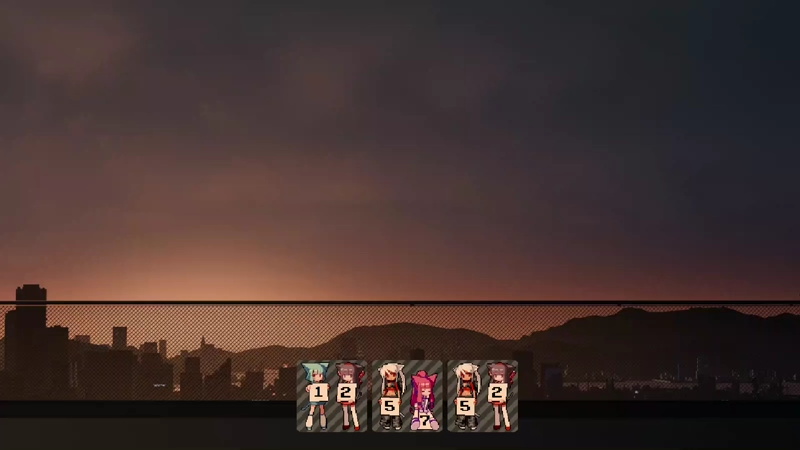
3d-num, ai-1, asoul, booru-ffsr, booru-helltaker, booru-huggboo,booru-jaypee, booru-koe, booru-lewd, booru-lisu, booru-mjg, booru-mof,booru-nandroid, booru-qualityhentais, booru-r6gdrawfriends, booru-rfck,booru-smtg, booru-snyde, booru-the-collection, booru-touhoulat,booru-townofgravityfalls, booru-twifanartsfw, booru-ve, booru-vivi,booru-vp, booru-yuyuyui, capoo-1, capoo-2, e621, food, gelbooru,gelbooru-h, green, kasuterura-1, kasuterura-2, kasuterura-3, kasuterura-4,kyun, love-and-deepspace, miku, minecraft, moebooru, moebooru-h,morden-num, nixietube-1, nixietube-2, normal-1, normal-2, original-new,original-old, rule34, shimmie2, sketch-1, sketch-2, yousa-ling
Installation
kpackagetool6 -t Plasma/Applet –upgrade kce-booru-clock-widget.plasmoid
Bla bla bla…
KCE HTML Widget
A Plasma widget that displays HTML files, local or remote URLs as a desktop widget.
Read me
Forked from – laloch / plasma-applet-htmlview (https://github.com/laloch/plasma-applet-htmlview)
Author: KCE — kce.wtf — spam@kce.wtf
Contributors: Claude (Anthropic)
License: GPL-3.0-or-later
Installation
kpackagetool6 -i kce-html-widget.plasmoidTo reinstall:
kpackagetool6 -i kce-html-widget.plasmoidAdding Custom Templates
Templates live here after installation:
~/.local/share/plasma/plasmoids/kce-html-widget/contents/templates/Rules
- Create a folder — the name is up to you:
my-template/ - Inside it, an HTML file with the exact same name as the folder:
my-template/my-template.html - Reference assets (images, audio) with relative paths:
./image.png - Optionally add a
preview.gif,preview.png, orpreview.jpg— shown in the settings panel
Example structure
templates/
└── my-template/
    ├── my-template.html   ← required, same name as folder
    ├── image.png
    ├── sound.wav
    └── preview.gif        ← optional
Registering the template in the widget
Currently, custom templates must be added to configGeneral.qml:
ListModel {
    id: templateModel
    ListElement { name: "spinning-cat";  displayName: "Spinning Cat" }
    // Add your template here:
    ListElement { name: "my-template";   displayName: "My Template" }
}
Built-in template auto-discovery is planned for a future release.
Built-in Templates
| Name | Description |
|---|---|
| Spinning Cat | The classic. Hover for chaos. |
| Spinning Cat v2 | Confetti edition. |
| Loli & FBI | You know what this is. |
| Internet Speed Test | Cloudflare speed test, on your desktop. |
Bla bla bla…



Leave a Reply